





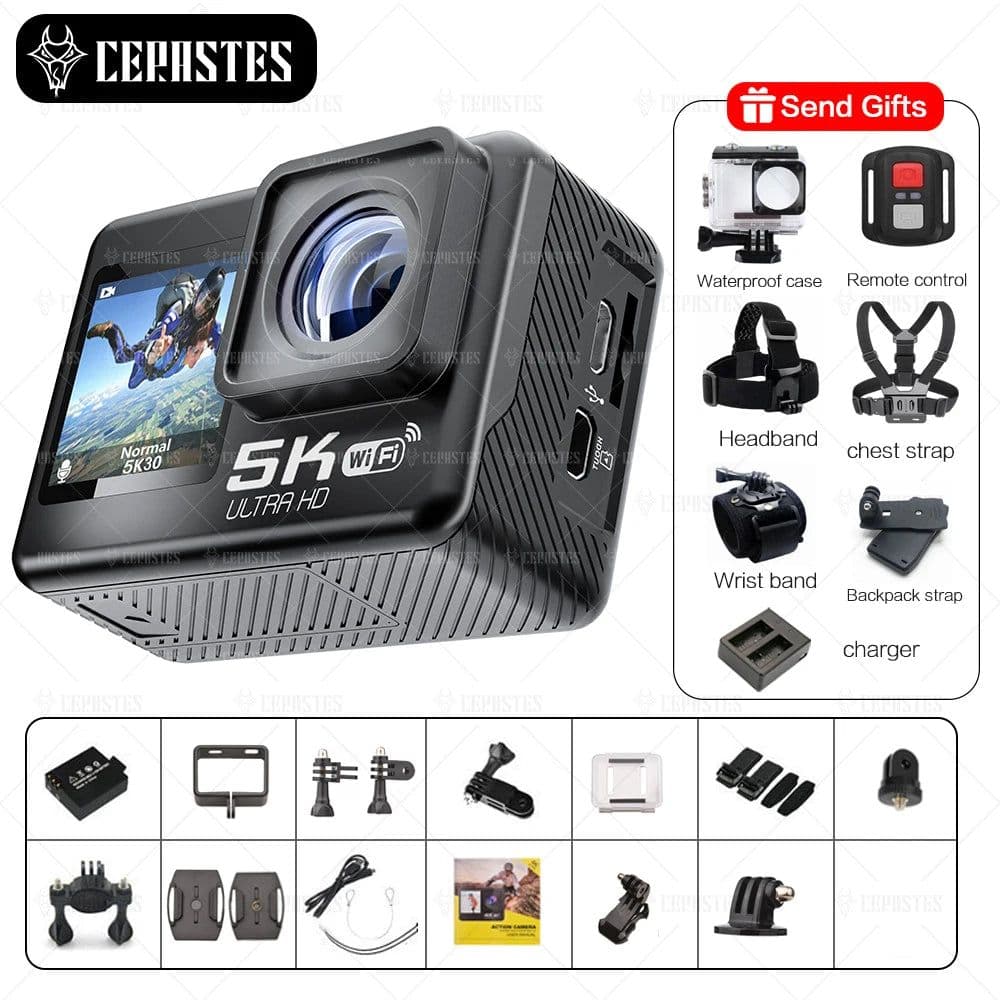
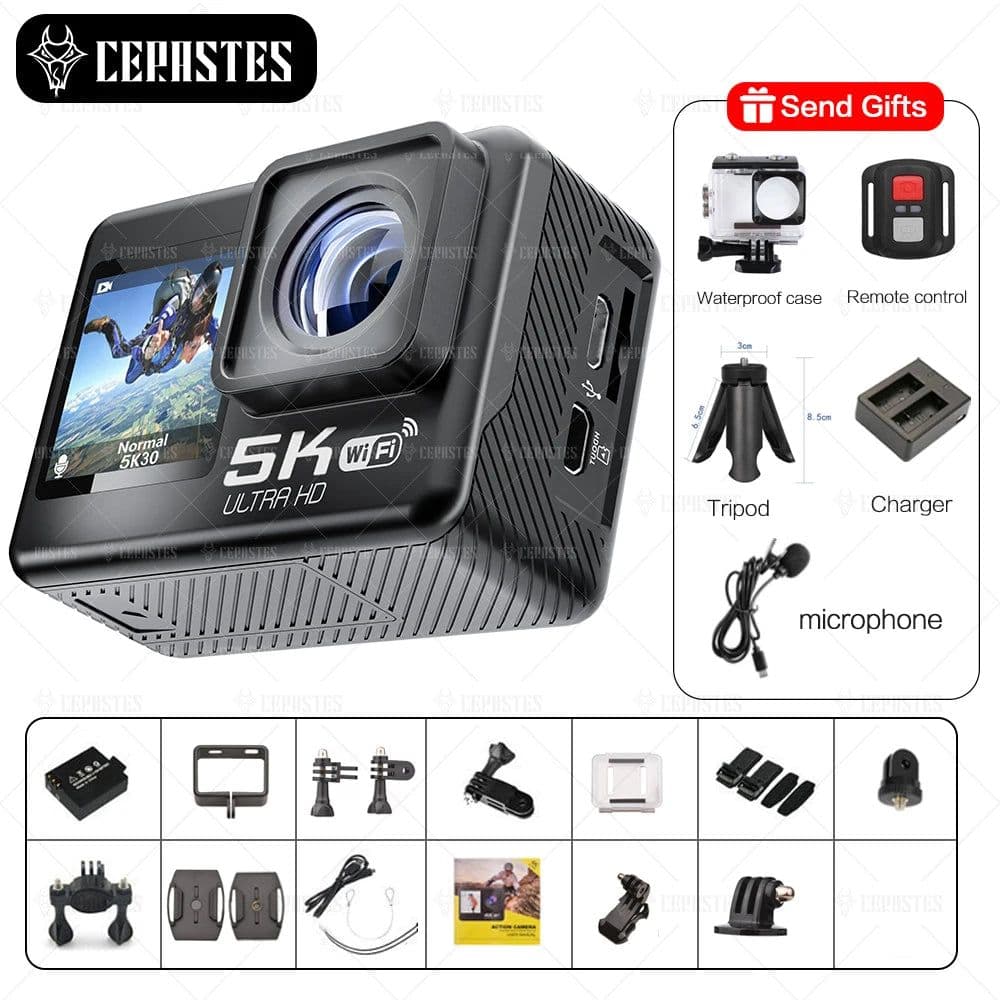


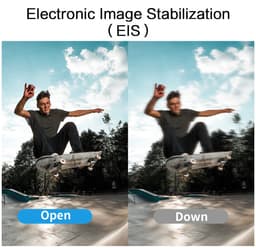



SPECIFICATIONSV39 APP: iSmart DV2Charging time: 2-2.5hContinuous working time: 60 minutesMaster chip: Sunplus iCatchV39COMS sensor: Sony IMX386guarantee: 1 yearother: 40%V35 APP: XDV ProBrand Name: cerastesAdditional Function: Support WIFIEffective MegaPixel: About 24MPWeight: 101g-150gSensor Size (inches): 1/2.3 inchesMax depth[m]: 30mApplication: Semi-professionalApplication: Extreme SportsApplication: Outdoor Sport ActivitiesApplication: BicycleApplication: CAR DVRApplication: DivingInput/Output: otherBluetooth Support: NoVideo Format: MP4Remote Control Support: YesWaterproof: YesDisplay Screen: YesImage Stabilization: Electronic Image StabilizationBattery Capacity: 1030mAhDisplay Size: 2.0'Touch Screen: YESNightShot Function: NoRemovable/Replaceable Battery: YESCategory: Sports & Action Video CamerasImage Sensor: Other SONY SeriesNFC Support: NoSupporting Language: japaneseSupporting Language: FRENCHSupporting Language: germanSupporting Language: ItalianSupporting Language: SpanishSupporting Language: PortugueseSupporting Language: RussianSupporting Language: EnglishSupporting Language: POLISHSupporting Language: KOREANSupporting Language: Simplified ChineseSupporting Language: Traditional Chinese StyleBuilt-in Mic: YesExpand Microphone: YesPackage: YesOperating Temperature[°C]: -10°C / +55°COrigin: Mainland ChinaCertification: CEBuilt-in Memory Size: NonVolume: 5.5 * 4 * 3cmcerastes Model: V39Video Resolution: 4K/5KBody Extension Interface: OthersHDMI-Compatible Output: YESMemory Card Type: MicroSD / TFWIFI Support: YesMemory Card Support: 128GMain Processor ( Maximum HD Support): Allwinner V316Wideangle: 170°Choice: yessemi_Choice: yesSwitch betwenn large and small screens?long press the key to switch the screen size(dual screens cvannot be displayed at the same time)Note: 4K/60fps 5K/30fps video requires camera memory ≥128GB (U2/U3)V35:Languages: Chinese, German, English, Spanish, French, Italian, Japanese, Russian, Polish, Dutch, Arabic、 Korean.Specifications:1) DSP: Sunplus V352) COMS sensor: Sony 3863) 2.0' touch screen + 1.3' small screen4) WIFI+EIS+HDMI output+170º+4G DDR+2.4G remote control5) Video resolution: 4K/30fps/60fps,2.7K/30fps,1080P/120fps/60fps/30fps,720P/240fps/120fps/60fps/30fps6) Image resolution: 16M/13M/8M7) Memory: Micro SD card slot, up to 128GB (U3 TF card)8) Battery: Removable battery 1050mAhWith waterproof case, 30 meters waterproof.EIS resolution support: 4K/30FPS, 2.7K/30FPS, 1080P/60FPS, 1080P/30FPSExpansion:External microphone can be connected.(Distortion calibration and EIS cannot be enabled at the same time , Upside Down cannot use EIS)Availability: January 2022Note: High-speed (U2/U3) SD/TF card is required, low-speed card cannot be matched。V39:Languages: Chinese, German, English, Spanish, French, Italian, Japanese, Portuguese, Russian, Polish, Dutch, Korean.Specifications:1) DSP: Sunplus V392) COMS sensor: Sony 3863) 2.0' touch screen + 1.3' small screen4) WIFI+EIS+HDMI output+170º+4G DDR+2.4G remote control5) Video resolution:5k:30fps4K:30fps/60fps,2.7K: 60fps/30fps,1080P:120fps/60fps/30fps,720P: 240fps/120fps/60fps6) Image resolution: 24M/20M/16M/14M/10M/8M/5M/2M7) Memory: Micro SD card slot, up to 128GB (U3 TF card)8) Battery: Removable battery 1050mAhWith waterproof case, 30 meters waterproof.EIS resolution support: 4K/60FPS. 4K/30FPS, 2.7K/30FPS, 1080P/60FPS, 1080P/30FPS(Distortion calibration and EIS cannot be enabled at the same time , Upside Down cannot use EIS)Availability: January 2023Function: Support loop recording, anti-shake function, noise reduction, fast motion video, slow motion video.Special effects: color video, black and white video, nature video, warm tone, contrast, negative.Expansion: External microphone can be connected.Normal mode video recording: Automatically save once for 6 minutes, and then continue recording. The automatically saved video length is about 6 minutes.Note: High-speed (U2/U3) SD/TF card is required, low-speed card cannot be matched。1, Insert Micro SD cardNote: Please select the brand MicroS card, formatted on the computer and then use, ordinary neutral card can not guarantee the normal use of work.2, Install and remove the batteryA、Pull the cover down can open the battery cover.B、According the battery marked positive and negative symbols and arrows indicate direction, the correct battery into the camera until the installation is in place.C、Battery power indicator: please refer to the icon.D、Remove the battery, removed out of the battery after open battery cover .3, Battery chargingA、with USB line connection to computer or power adapter, the camera can be charged.B、Can charging while recording.C、shutdown state can also charge.4, Camera on / offA、 long press and hold the boot key 3-5 seconds can turned on / off the camera.B、 open screen that boot, turn off the screen that is off.5, turn WiFi on/offTurn on WIFI: Turn on Wi-Fi in video/photo mode or by pressing the key.Turn off WIFI: Turn off Wi-Fi in video/photo mode or by pressing the button.6, mode conversion (mode)After booting up, short press on/off key. You can switch between recording/photographing.7, indicator lightWork LED light: blue light is working indicator.WiFi indicator: blue light, WiFi on, blue light flashing;WiFi Link, blue light long bright;WiFi off, blue light off.Charging indicator: Red light, charging red light often, full, red light off.8, how to set photography and photography optionsA. Shooting and video settings The camera enters the shooting mode, press the OK button to start recording, the • mark at the bottom of the screen flashes while recording, and then press the OK button to stop recording, and the • mark also disappears.Video mode: normal, loop record (1min, 3min, 5min), V-Timelapse (1s, 3s, 5s, 10s, 30s, 60s), slow motion (2.7K60fps, 1080P60fps, 720P120fps, 720P60fps), fast motion (2x, 4x, 6x, 10x, 15x).B. Turn on the power for the camera and camera settings, enter the mode button to select the camera mode, and when there is a camera icon in the upper left corner of the screen, enter the camera mode at this time, and press the confirm button to take a photo.Photo mode: Single, Burst (3P/S, 7P/S, 15P/S, 30P/S), P-Timelapse (3s, 5s, 10s, 30s, 60s), Self-Time (2s, 5s, 10s), Long Exp (1s, 2s, 5s, 8s, 30s, 60s). brand cerastes9, Switch between large and small screensLong press the key to switch the screen size (dual screens cannot be displayed at the same time)10, WiFi install and useBefore use the WiFi function, please download and install the application ' ismartdv2 ' on your smart phone.Note: earch ' ismartdv2 'from app store for IOS ;Search' ismartdv2 'from Google Play Store for android.Steps to connect wift. brand cerastesA, Open with in the drop-down menu or settings, 'WIFI information' appears on the screen, and the WiFi indicator will flash at this time;B,Open the WiFi on your phone, searching the wif SSID' sport-cameras_******' and connect (theoriginal password is 1234567890);C‚Open ' ismartdv2 ' APP program , with the APP, you can real-time preview is shooting pictures, remote video, photos, file playback / download / delete / share. brand cerastesC.APP install guide, the phone system requires Android 4.1 and above or IOS7 or above, scan the 'ismartdv?' APP two-dimensional code, press the prompts to complete the installation.This product is high precision products, do not fall or impact.Please don't close to the camera with strong magnetic objects, such as magnets and motors, in addition to avoid the product near the issue of strong radio waves of objects, strong magnetic field may can cause product failure, or destroy images and sound.Please don't place the camera at a higher temperature or direct sunlight. brand cerastesPlease choose the brand Micro SD card, ordinary card can not guarantee normal use.Please don't store the micro SD card in or near the strong magnetic place to avoid missing Micro SD card storage data.Charging process, if overheating, smoke, or smell, please pull out the power immediately, stop charging to avoid fire.Please put the product out of reach of children when charging, power line may cause a child's accidental suffocation or shockPlease send the product in a cool, dry place and the vast dust.Note: 4K/60fps 5K/30fps video requires camera memory ≥128GB (U2/U3)--------------------V35:Languages: Chinese, German, English, Spanish, French, Italian, Japanese, Russian, Polish, Dutch, Arabic、 Korean.Specifications:1) DSP: Sunplus V352) COMS sensor: Sony 3863) 2.0' touch screen + 1.3' small screen4) WIFI+EIS+HDMI output+170º+4G DDR+2.4G remote control5) Video resolution: 4K/30fps/60fps,2.7K/30fps,1080P/120fps/60fps/30fps,720P/240fps/120fps/60fps/30fps6) Image resolution: 16M/13M/8M7) Memory: Micro SD card slot, up to 128GB (U3 TF card)8) Battery: Removable battery 1050mAhWith waterproof case, 30 meters waterproof.EIS resolution support: 2.7K/30FPS, 1080P/60FPS, 1080P/30FPSExpansion:External microphone can be connected.Video format:MP4Availability: January 2022Note: High-speed (U2/U3) SD/TF card is required, low-speed card cannot be matched。v39:Languages: Chinese, German, English, Spanish, French, Italian, Japanese, Portuguese, Russian, Polish, Dutch, Arabic、 Korean.Specifications:1) DSP: Sunplus V392) COMS sensor: Sony 3863) 2.0' touch screen + 1.3' small screen4) WIFI+EIS+HDMI output+170º+4G DDR+2.4G remote control5) Video resolution:5k:30fps4K:30fps/60fps,2.7K: 60fps/30fps,1080P:120fps/60fps/30fps,720P: 240fps/120fps/60fps6) Image resolution: 24M/20M/16M/14M/10M/8M/5M/2M7) Memory: Micro SD card slot, up to 128GB (U3 TF card)8) Battery: Removable battery 1050mAhWith waterproof case, 30 meters waterproof.EIS resolution support: 4K/60FPS. 4K/30FPS, 2.7K/30FPS, 1080P/60FPS, 1080P/30FPS(Distortion calibration and EIS cannot be enabled at the same time)Availability: January 2023Function: Support loop recording, anti-shake function, noise reduction, fast motion video, slow motion video.Special effects: color video, black and white video, nature video, warm tone, contrast, negative.Expansion: External microphone can be connected.Video format: MOVNote: High-speed (U2/U3) SD/TF card is required, low-speed card cannot be matched。
Description
SPECIFICATIONSV39 APP: iSmart DV2Charging time: 2-2.5hContinuous working time: 60 minutesMaster chip: Sunplus iCatchV39COMS sensor: Sony IMX386guarantee: 1 yearother: 40%V35 APP: XDV ProBrand Name: cerastesAdditional Function: Support WIFIEffective MegaPixel: About 24MPWeight: 101g-150gSensor Size (inches): 1/2.3 inchesMax depth[m]: 30mApplication: Semi-professionalApplication: Extreme SportsApplication: Outdoor Sport ActivitiesApplication: BicycleApplication: CAR DVRApplication: DivingInput/Output: otherBluetooth Support: NoVideo Format: MP4Remote Control Support: YesWaterproof: YesDisplay Screen: YesImage Stabilization: Electronic Image StabilizationBattery Capacity: 1030mAhDisplay Size: 2.0'Touch Screen: YESNightShot Function: NoRemovable/Replaceable Battery: YESCategory: Sports & Action Video CamerasImage Sensor: Other SONY SeriesNFC Support: NoSupporting Language: japaneseSupporting Language: FRENCHSupporting Language: germanSupporting Language: ItalianSupporting Language: SpanishSupporting Language: PortugueseSupporting Language: RussianSupporting Language: EnglishSupporting Language: POLISHSupporting Language: KOREANSupporting Language: Simplified ChineseSupporting Language: Traditional Chinese StyleBuilt-in Mic: YesExpand Microphone: YesPackage: YesOperating Temperature[°C]: -10°C / +55°COrigin: Mainland ChinaCertification: CEBuilt-in Memory Size: NonVolume: 5.5 * 4 * 3cmcerastes Model: V39Video Resolution: 4K/5KBody Extension Interface: OthersHDMI-Compatible Output: YESMemory Card Type: MicroSD / TFWIFI Support: YesMemory Card Support: 128GMain Processor ( Maximum HD Support): Allwinner V316Wideangle: 170°Choice: yessemi_Choice: yesSwitch betwenn large and small screens?long press the key to switch the screen size(dual screens cvannot be displayed at the same time)Note: 4K/60fps 5K/30fps video requires camera memory ≥128GB (U2/U3)V35:Languages: Chinese, German, English, Spanish, French, Italian, Japanese, Russian, Polish, Dutch, Arabic、 Korean.Specifications:1) DSP: Sunplus V352) COMS sensor: Sony 3863) 2.0' touch screen + 1.3' small screen4) WIFI+EIS+HDMI output+170º+4G DDR+2.4G remote control5) Video resolution: 4K/30fps/60fps,2.7K/30fps,1080P/120fps/60fps/30fps,720P/240fps/120fps/60fps/30fps6) Image resolution: 16M/13M/8M7) Memory: Micro SD card slot, up to 128GB (U3 TF card)8) Battery: Removable battery 1050mAhWith waterproof case, 30 meters waterproof.EIS resolution support: 4K/30FPS, 2.7K/30FPS, 1080P/60FPS, 1080P/30FPSExpansion:External microphone can be connected.(Distortion calibration and EIS cannot be enabled at the same time , Upside Down cannot use EIS)Availability: January 2022Note: High-speed (U2/U3) SD/TF card is required, low-speed card cannot be matched。V39:Languages: Chinese, German, English, Spanish, French, Italian, Japanese, Portuguese, Russian, Polish, Dutch, Korean.Specifications:1) DSP: Sunplus V392) COMS sensor: Sony 3863) 2.0' touch screen + 1.3' small screen4) WIFI+EIS+HDMI output+170º+4G DDR+2.4G remote control5) Video resolution:5k:30fps4K:30fps/60fps,2.7K: 60fps/30fps,1080P:120fps/60fps/30fps,720P: 240fps/120fps/60fps6) Image resolution: 24M/20M/16M/14M/10M/8M/5M/2M7) Memory: Micro SD card slot, up to 128GB (U3 TF card)8) Battery: Removable battery 1050mAhWith waterproof case, 30 meters waterproof.EIS resolution support: 4K/60FPS. 4K/30FPS, 2.7K/30FPS, 1080P/60FPS, 1080P/30FPS(Distortion calibration and EIS cannot be enabled at the same time , Upside Down cannot use EIS)Availability: January 2023Function: Support loop recording, anti-shake function, noise reduction, fast motion video, slow motion video.Special effects: color video, black and white video, nature video, warm tone, contrast, negative.Expansion: External microphone can be connected.Normal mode video recording: Automatically save once for 6 minutes, and then continue recording. The automatically saved video length is about 6 minutes.Note: High-speed (U2/U3) SD/TF card is required, low-speed card cannot be matched。1, Insert Micro SD cardNote: Please select the brand MicroS card, formatted on the computer and then use, ordinary neutral card can not guarantee the normal use of work.2, Install and remove the batteryA、Pull the cover down can open the battery cover.B、According the battery marked positive and negative symbols and arrows indicate direction, the correct battery into the camera until the installation is in place.C、Battery power indicator: please refer to the icon.D、Remove the battery, removed out of the battery after open battery cover .3, Battery chargingA、with USB line connection to computer or power adapter, the camera can be charged.B、Can charging while recording.C、shutdown state can also charge.4, Camera on / offA、 long press and hold the boot key 3-5 seconds can turned on / off the camera.B、 open screen that boot, turn off the screen that is off.5, turn WiFi on/offTurn on WIFI: Turn on Wi-Fi in video/photo mode or by pressing the key.Turn off WIFI: Turn off Wi-Fi in video/photo mode or by pressing the button.6, mode conversion (mode)After booting up, short press on/off key. You can switch between recording/photographing.7, indicator lightWork LED light: blue light is working indicator.WiFi indicator: blue light, WiFi on, blue light flashing;WiFi Link, blue light long bright;WiFi off, blue light off.Charging indicator: Red light, charging red light often, full, red light off.8, how to set photography and photography optionsA. Shooting and video settings The camera enters the shooting mode, press the OK button to start recording, the • mark at the bottom of the screen flashes while recording, and then press the OK button to stop recording, and the • mark also disappears.Video mode: normal, loop record (1min, 3min, 5min), V-Timelapse (1s, 3s, 5s, 10s, 30s, 60s), slow motion (2.7K60fps, 1080P60fps, 720P120fps, 720P60fps), fast motion (2x, 4x, 6x, 10x, 15x).B. Turn on the power for the camera and camera settings, enter the mode button to select the camera mode, and when there is a camera icon in the upper left corner of the screen, enter the camera mode at this time, and press the confirm button to take a photo.Photo mode: Single, Burst (3P/S, 7P/S, 15P/S, 30P/S), P-Timelapse (3s, 5s, 10s, 30s, 60s), Self-Time (2s, 5s, 10s), Long Exp (1s, 2s, 5s, 8s, 30s, 60s). brand cerastes9, Switch between large and small screensLong press the key to switch the screen size (dual screens cannot be displayed at the same time)10, WiFi install and useBefore use the WiFi function, please download and install the application ' ismartdv2 ' on your smart phone.Note: earch ' ismartdv2 'from app store for IOS ;Search' ismartdv2 'from Google Play Store for android.Steps to connect wift. brand cerastesA, Open with in the drop-down menu or settings, 'WIFI information' appears on the screen, and the WiFi indicator will flash at this time;B,Open the WiFi on your phone, searching the wif SSID' sport-cameras_******' and connect (theoriginal password is 1234567890);C‚Open ' ismartdv2 ' APP program , with the APP, you can real-time preview is shooting pictures, remote video, photos, file playback / download / delete / share. brand cerastesC.APP install guide, the phone system requires Android 4.1 and above or IOS7 or above, scan the 'ismartdv?' APP two-dimensional code, press the prompts to complete the installation.This product is high precision products, do not fall or impact.Please don't close to the camera with strong magnetic objects, such as magnets and motors, in addition to avoid the product near the issue of strong radio waves of objects, strong magnetic field may can cause product failure, or destroy images and sound.Please don't place the camera at a higher temperature or direct sunlight. brand cerastesPlease choose the brand Micro SD card, ordinary card can not guarantee normal use.Please don't store the micro SD card in or near the strong magnetic place to avoid missing Micro SD card storage data.Charging process, if overheating, smoke, or smell, please pull out the power immediately, stop charging to avoid fire.Please put the product out of reach of children when charging, power line may cause a child's accidental suffocation or shockPlease send the product in a cool, dry place and the vast dust.Note: 4K/60fps 5K/30fps video requires camera memory ≥128GB (U2/U3)--------------------V35:Languages: Chinese, German, English, Spanish, French, Italian, Japanese, Russian, Polish, Dutch, Arabic、 Korean.Specifications:1) DSP: Sunplus V352) COMS sensor: Sony 3863) 2.0' touch screen + 1.3' small screen4) WIFI+EIS+HDMI output+170º+4G DDR+2.4G remote control5) Video resolution: 4K/30fps/60fps,2.7K/30fps,1080P/120fps/60fps/30fps,720P/240fps/120fps/60fps/30fps6) Image resolution: 16M/13M/8M7) Memory: Micro SD card slot, up to 128GB (U3 TF card)8) Battery: Removable battery 1050mAhWith waterproof case, 30 meters waterproof.EIS resolution support: 2.7K/30FPS, 1080P/60FPS, 1080P/30FPSExpansion:External microphone can be connected.Video format:MP4Availability: January 2022Note: High-speed (U2/U3) SD/TF card is required, low-speed card cannot be matched。v39:Languages: Chinese, German, English, Spanish, French, Italian, Japanese, Portuguese, Russian, Polish, Dutch, Arabic、 Korean.Specifications:1) DSP: Sunplus V392) COMS sensor: Sony 3863) 2.0' touch screen + 1.3' small screen4) WIFI+EIS+HDMI output+170º+4G DDR+2.4G remote control5) Video resolution:5k:30fps4K:30fps/60fps,2.7K: 60fps/30fps,1080P:120fps/60fps/30fps,720P: 240fps/120fps/60fps6) Image resolution: 24M/20M/16M/14M/10M/8M/5M/2M7) Memory: Micro SD card slot, up to 128GB (U3 TF card)8) Battery: Removable battery 1050mAhWith waterproof case, 30 meters waterproof.EIS resolution support: 4K/60FPS. 4K/30FPS, 2.7K/30FPS, 1080P/60FPS, 1080P/30FPS(Distortion calibration and EIS cannot be enabled at the same time)Availability: January 2023Function: Support loop recording, anti-shake function, noise reduction, fast motion video, slow motion video.Special effects: color video, black and white video, nature video, warm tone, contrast, negative.Expansion: External microphone can be connected.Video format: MOVNote: High-speed (U2/U3) SD/TF card is required, low-speed card cannot be matched。