


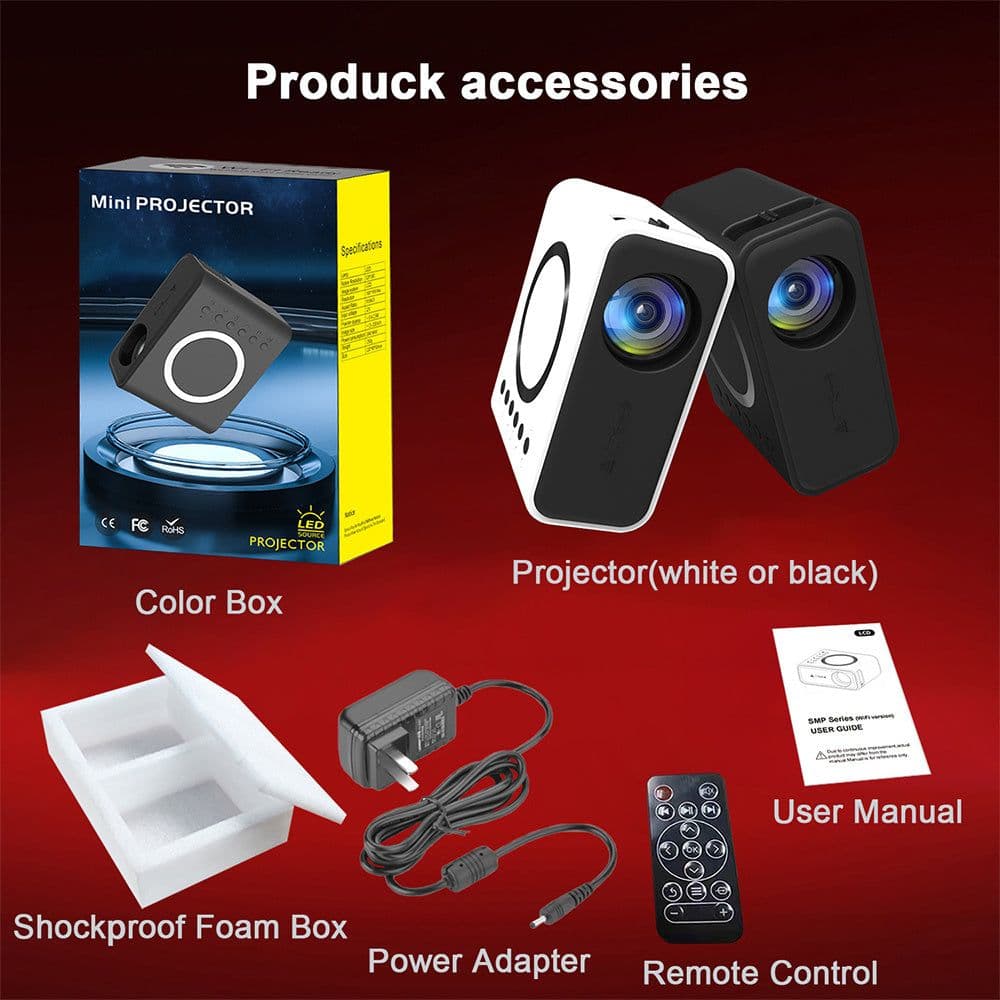

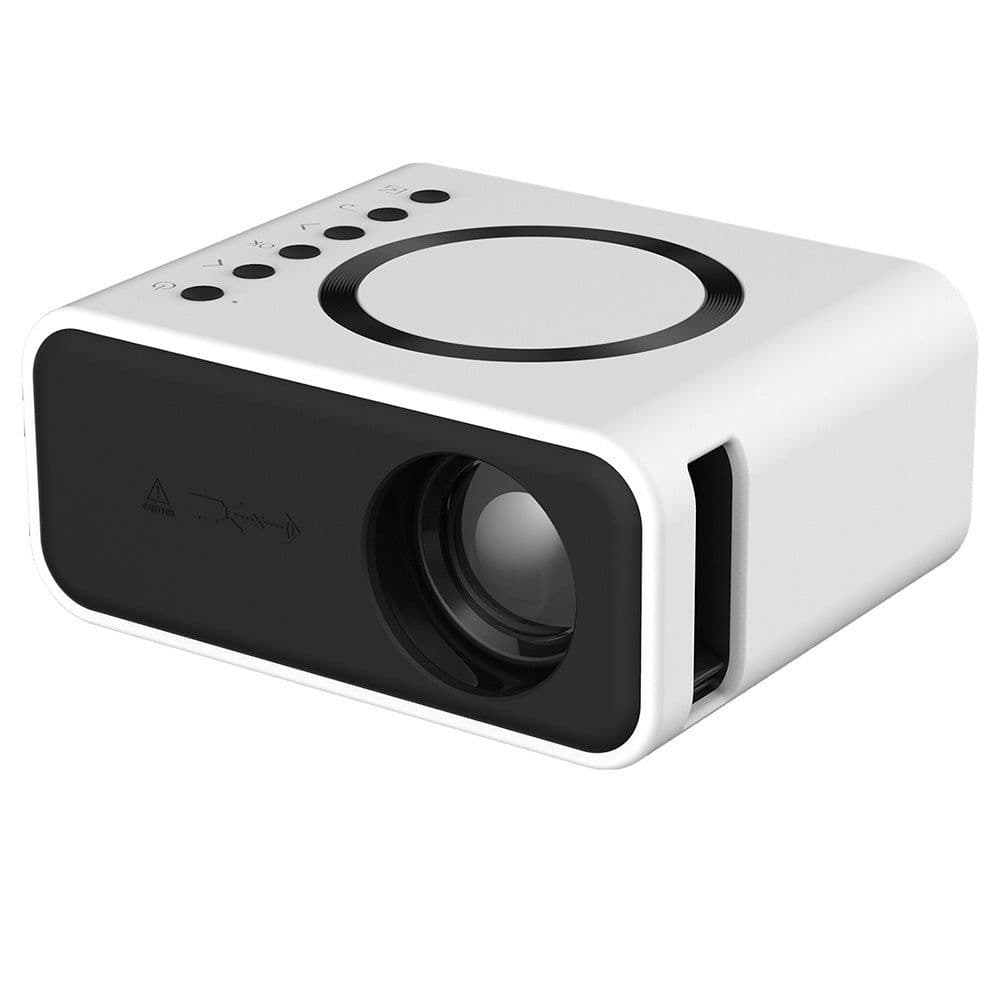





Features: Wired + Wireless Phone Screen Mirroring: Provides versatile connectivity options, catering to various device types and preferences. Optical Lens, Diffuse Imaging: Delivers high-quality projection with clear and well-distributed imagery. Low Noise: Operates quietly, ensuring minimal disturbance during presentations or screenings. External Audio Connectivity: Compatible with external audio devices for personalized sound settings and preferences. Specification: Resolution 320*240 Input USB/5V IN Support resolution 1080P Image System LED Brightness 24 ANSI Color 16.7K Contrast Ratio 3000:1 Power Consumption 10W Pic Size 16-100(Inches) Input voltage 100-240V 50/60HZ Projection Dist. 0.5-3 M System Wired/Wireless connection Aspect Ratio 16:9/4:3 Whole weight 10 KG Product Size 110*50*60mm N. W. 0.25KG Package includes: Shockproof Foam box * 1Projector * 1Color Box * 1User manual * 1Remote control * 1Power Adapter * 1 Noted/Tips: Ambient Lighting: Ensure moderate ambient lighting in the projection area. Excessive light can affect the projection quality; it's best to use the projector in dimmer settings for clearer images. Projection Distance and Positioning: Choose an appropriate placement and projection distance based on the projector's specifications and desired image size for clear and quality visuals. Ventilation and Cooling: Provide adequate space around the projector for ventilation. Prolonged usage generates heat, so proper ventilation helps in maintaining the device and preventing overheating. Keep it Clean: Regularly clean the projector lens and filters to prevent dust or dirt from affecting the image quality. Handle Transport and Storage with Care: When carrying or storing the projector, avoid rough handling or damage that might affect its performance. Shutdown and Cool Down: After usage, allow the projector to cool down before powering off. This helps in extending the device's lifespan. Proper Use of Lens and Adjustment Functions: Adjust lens focus, clarity, and projection angles as needed for the best projection outcome. Avoid Prolonged Continuous Usage: Try to avoid the projector running continuously for extended periods to reduce wear and the risk of damage. Attention to Connections and Power: Ensure correct connections to external devices and use adapters or power cables connected to stable power sources to prevent damage from unstable voltage. Refer to User Manual: Regularly consult the projector's user manual, follow manufacturer recommendations and instructions for correct usage and maintenance.
Description
Features: Wired + Wireless Phone Screen Mirroring: Provides versatile connectivity options, catering to various device types and preferences. Optical Lens, Diffuse Imaging: Delivers high-quality projection with clear and well-distributed imagery. Low Noise: Operates quietly, ensuring minimal disturbance during presentations or screenings. External Audio Connectivity: Compatible with external audio devices for personalized sound settings and preferences. Specification: Resolution 320*240 Input USB/5V IN Support resolution 1080P Image System LED Brightness 24 ANSI Color 16.7K Contrast Ratio 3000:1 Power Consumption 10W Pic Size 16-100(Inches) Input voltage 100-240V 50/60HZ Projection Dist. 0.5-3 M System Wired/Wireless connection Aspect Ratio 16:9/4:3 Whole weight 10 KG Product Size 110*50*60mm N. W. 0.25KG Package includes: Shockproof Foam box * 1Projector * 1Color Box * 1User manual * 1Remote control * 1Power Adapter * 1 Noted/Tips: Ambient Lighting: Ensure moderate ambient lighting in the projection area. Excessive light can affect the projection quality; it's best to use the projector in dimmer settings for clearer images. Projection Distance and Positioning: Choose an appropriate placement and projection distance based on the projector's specifications and desired image size for clear and quality visuals. Ventilation and Cooling: Provide adequate space around the projector for ventilation. Prolonged usage generates heat, so proper ventilation helps in maintaining the device and preventing overheating. Keep it Clean: Regularly clean the projector lens and filters to prevent dust or dirt from affecting the image quality. Handle Transport and Storage with Care: When carrying or storing the projector, avoid rough handling or damage that might affect its performance. Shutdown and Cool Down: After usage, allow the projector to cool down before powering off. This helps in extending the device's lifespan. Proper Use of Lens and Adjustment Functions: Adjust lens focus, clarity, and projection angles as needed for the best projection outcome. Avoid Prolonged Continuous Usage: Try to avoid the projector running continuously for extended periods to reduce wear and the risk of damage. Attention to Connections and Power: Ensure correct connections to external devices and use adapters or power cables connected to stable power sources to prevent damage from unstable voltage. Refer to User Manual: Regularly consult the projector's user manual, follow manufacturer recommendations and instructions for correct usage and maintenance.